What IT Project Management Really Means (And Why It Matters)
IT project management is the process of planning, organizing, and guiding technology projects from start to finish — on time, within budget, and with the right people in place.
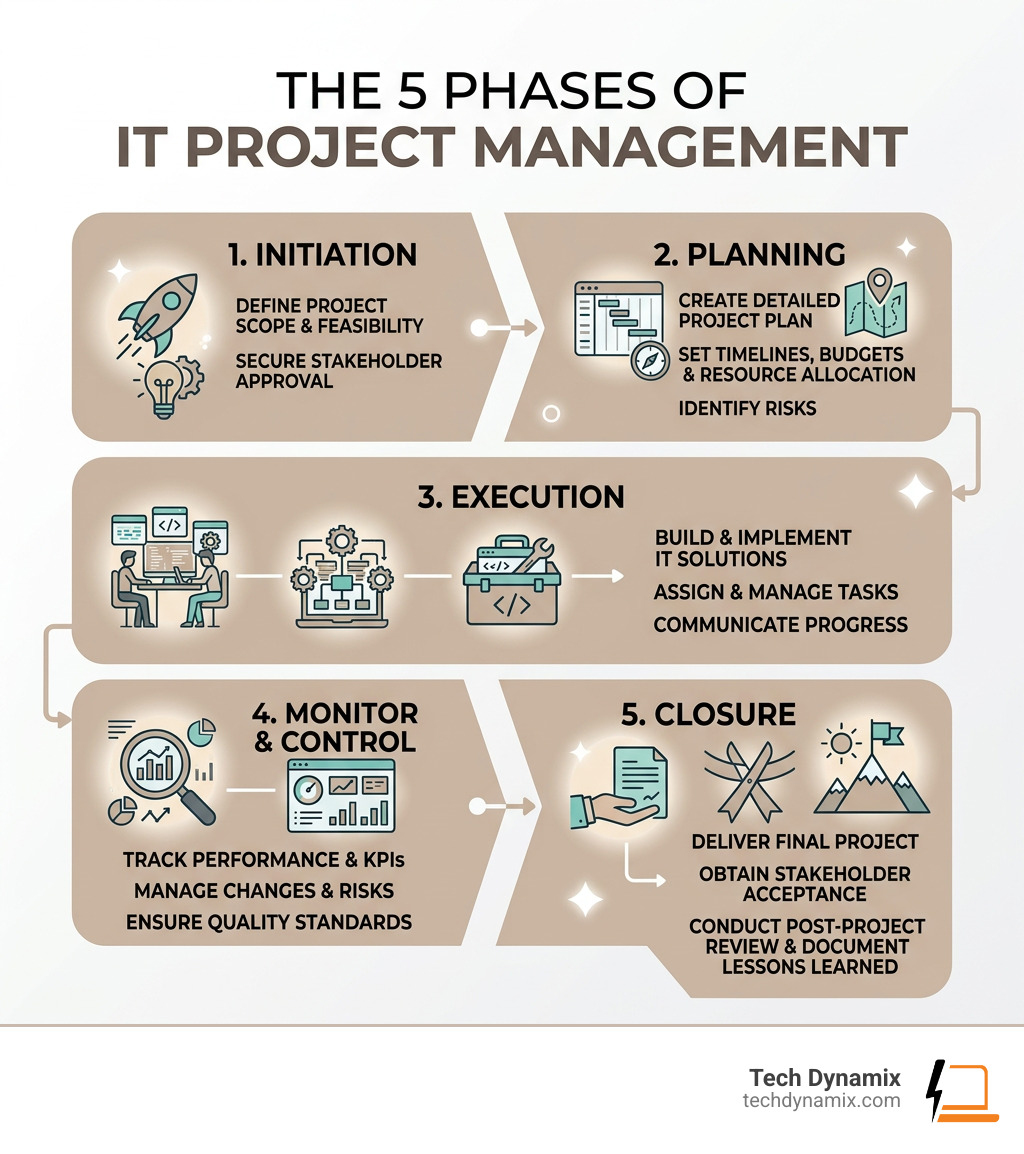
Here’s a quick overview of how it works:
| Phase | What Happens |
|---|---|
| Initiation | Define the project need and feasibility |
| Planning | Set scope, budget, timeline, and risks |
| Execution | Assign tasks and build the solution |
| Monitor & Control | Track progress and make adjustments |
| Closure | Deliver, review, and document lessons learned |
IT projects can range from a simple software rollout to a full network overhaul. What they all share is complexity — and the need for clear leadership to keep everything from going sideways.
Technology touches every part of a modern business: finance, HR, operations, and customer experience. When an IT project fails, the whole organization feels it. When it succeeds, it drives real growth.
That’s why structured IT project management isn’t optional — it’s essential.
I’m Jay Baruffa, and with over 20 years in IT systems support and infrastructure design across Northeast Ohio, I’ve led and supported complex IT projects spanning cybersecurity, network design, and enterprise systems. This guide draws on that hands-on experience to give you a practical foundation in IT project management — whether you’re running projects internally or evaluating outside support.
IT project management terms you need:
What is IT Project Management?
At its heart, IT project management is the specialized discipline of managing projects that involve information technology. While general project management might involve building a bridge or launching a marketing campaign, IT projects focus on the digital backbone of your business. This includes everything from Managed Services to high-level hardware deployment and complex data management.
When we talk about IT Project Management: Managing IT Projects, we are looking at a field that covers software development, network infrastructure, and information security. Whether you are a small business in Mentor or a growing healthcare provider in Willoughby, your IT projects likely involve a mix of these elements. According to ServiceNow, this process is critical because it ensures that technology investments actually solve business problems rather than creating new ones.
In our experience serving Northeast Ohio, we’ve seen that IT projects are rarely “set it and forget it.” They require a constant eye on system interdependencies. If you upgrade your server hardware in Eastlake, you have to ensure your database in Painesville Township stays synced. That’s the “management” part of IT project management.
How IT Project Management Differs from General PM
You might wonder, “Isn’t a project just a project?” Not exactly. IT projects have a few quirks that make them a bit more… exciting (and by exciting, we mean challenging!).
- Technical Complexity: Unlike a construction project where you can see the walls going up, IT projects often happen in the “invisible” layers of code and data. This requires IT Consulting & Advisory expertise to navigate.
- Rapid Obsolescence: In tech, things move fast. A piece of hardware can become obsolete almost as soon as it rolls off the assembly line. We have to plan projects that are flexible enough to adapt to these shifts.
- Integration Requirements: Most IT projects don’t exist in a vacuum. A new software tool has to play nice with your existing email, your CRM, and your security protocols.
- Security Protocols: Every IT project today is a cybersecurity project. Whether you’re refreshing computers in Chardon or setting up a cloud backup in Madison, Cybersecurity Solutions must be baked into the plan from day one.
The Strategic Value of IT Project Management
Why bother with all this structure? Because good IT project management is a major competitive advantage. For businesses in the Greater Cleveland Area, it’s the difference between a smooth Digital Transformation and a costly tech disaster.
Strategic PM ensures:
- Business Continuity: Your projects shouldn’t crash your daily operations.
- Resource Optimization: You aren’t wasting money on software your team doesn’t need.
- Gaining Efficiency: By automating tasks and streamlining workflows, you’re Gaining Efficiency that helps your bottom line.
Core Methodologies for IT Projects
Choosing a methodology is like picking a route for a road trip through Lake County. Do you want the fast highway (Agile) or the scenic, step-by-step route (Waterfall)?
| Methodology | Best For… | Key Feature |
|---|---|---|
| Waterfall | Clear, fixed requirements | Sequential phases (one step at a time) |
| Agile | Flexible, evolving projects | Iterative “sprints” and constant feedback |
| Hybrid | Most IT projects | Combines structure with flexibility |
| Scrum/Kanban | Continuous delivery | Visual boards and small, incremental changes |
Waterfall (Sequential)
The Waterfall methodology was codified way back in 1970. It’s the “old school” approach where you finish one phase before starting the next: Requirements -> Design -> Implementation -> Testing -> Installation -> Maintenance. It’s great for projects with a very clear end goal, like a physical Network Design & Management project in a new office building in Wickliffe.
Agile (Iterative)
Agile is all about speed and adaptability. Instead of one big launch, you release small pieces of the project in cycles called “sprints.” This is very common in Custom Software Development. It allows you to pivot if you realize halfway through that your users in Painesville need a different feature than you originally thought.
Hybrid Approaches
Many IT teams today prefer a Hybrid approach. It offers the best of both worlds: the high-level structure of Waterfall (for budgeting and timelines) with the day-to-day flexibility of Agile (for task execution).
Planning for IT Project Management Success
Success in IT project management starts long before the first line of code is written or the first server is racked. It starts with planning.
- Requirement Gathering: Talk to your team. What do they actually need? If you’re implementing ERP Solutions, you need to know how the warehouse team in Ashtabula and the sales team in Mayfield Heights will use it.
- Scope Definition: This is where you draw a line in the sand. “Scope creep” is the silent killer of IT projects. Define exactly what the project will and will not do.
- Resource Allocation: Who is doing the work? Do you have enough internal staff, or do you need Staff Augmentation?
- Risk Assessment: What could go wrong? (In IT, the answer is usually “plenty”). From hardware delays to security vulnerabilities, identify risks early and have a plan B.
Monitoring and Controlling IT Project Management
Once the project is moving, you can’t just walk away. You need to keep a close eye on the “vitals.”
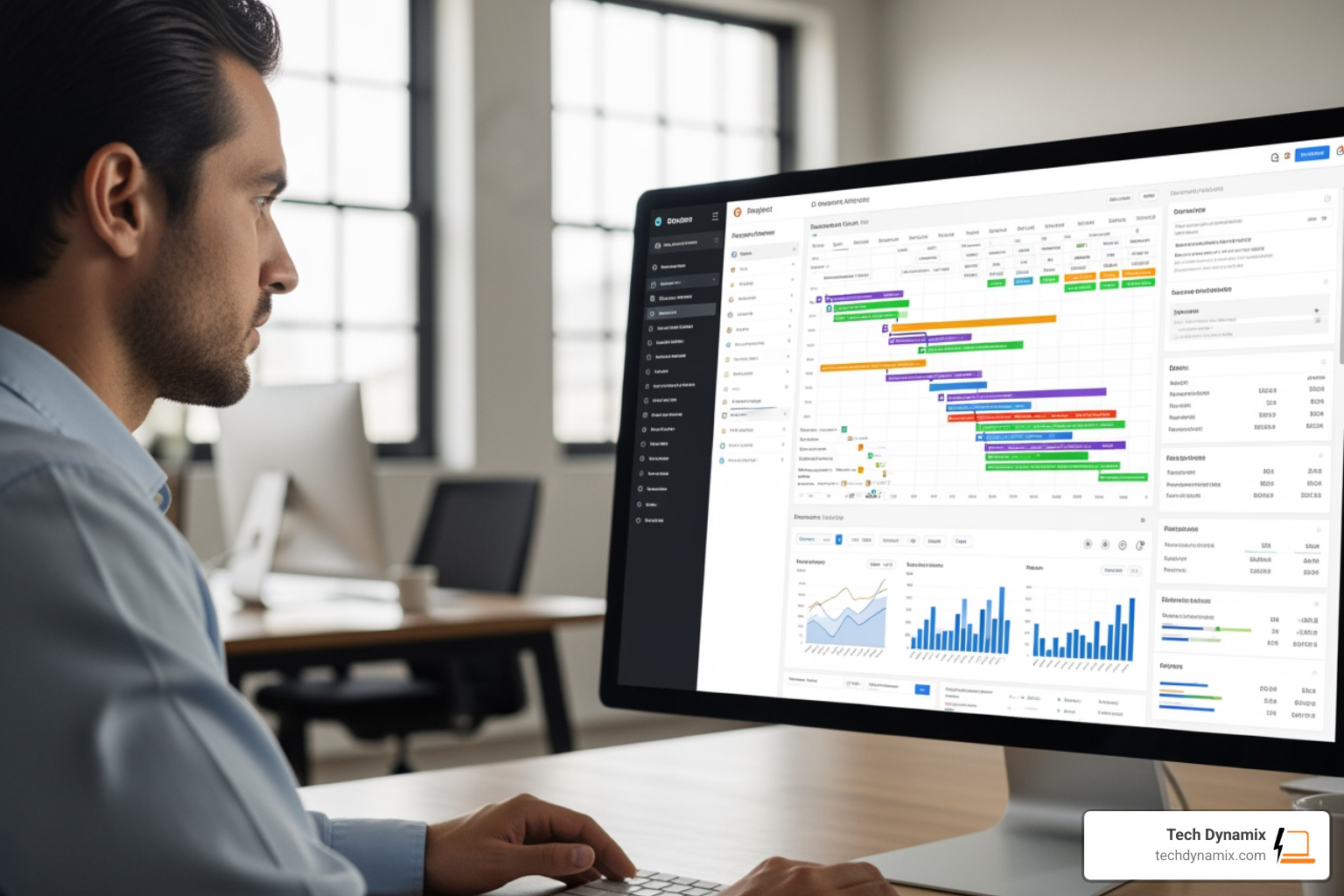
- Real-time Dashboards: Use tools that show you progress, costs, and workloads at a glance.
- Quality Assurance: Test, test, and test again. Whether it’s a new VoIP system or a cloud migration, make sure it works before the “go-live” date.
- Change Control: If someone wants to change the plan mid-stream, it needs to go through a formal process to see how it affects the budget and timeline.
Essential Tools and Roles in the IT Landscape
A project is only as good as the people running it and the tools they use.
The IT Project Manager
The IT Project Manager is the “conductor” of the orchestra. They don’t necessarily need to be the best coder in the room, but they must understand how the code, the hardware, and the business goals fit together. Their role is to act as a liaison between the technical leads and the stakeholders (the business owners or department heads).
Types of IT Teams
- Project Teams: These are assembled for a specific goal and then disbanded.
- Internal IT Teams: They handle the ongoing maintenance and “keep the lights on” for your business in Lake County.
- Professional Services Teams: These are outside experts (like us!) brought in to handle specialized tasks like Digital Transformation.
Key Responsibilities of an IT Project Manager
What does a day in the life look like? It’s a mix of leadership and logistics:
- Vendor Management: Coordinating with software providers or hardware vendors.
- Documentation: Keeping a paper trail of every decision and change. This is vital for future troubleshooting.
- Conflict Resolution: When the developers and the accountants don’t see eye-to-eye, the PM steps in.
- Communication: Sending status reports that actually make sense to non-technical people.
Skills and Qualifications for Success
If you’re looking to hire an IT Project Manager or become one, here’s what matters:
- Technical Proficiency: You need to know your way around networks, security, and cloud systems.
- Leadership: The ability to motivate a team under a tight deadline.
- Certifications: While not always mandatory, they show you know the “industry standard” way of doing things.
- PMP (Project Management Professional): The gold standard.
- CAPM (Certified Associate in Project Management): Great for those starting out.
- Agile/Scrum Certifications: Essential for software-heavy roles.
- Mentorship: Programs like the Mentorship Program at PMINEO are great for local professionals in Northeast Ohio to sharpen their skills.
Salary Insights: In the US, an IT Project Manager can expect a salary ranging from $55,000 to $125,000, depending on experience and the complexity of the industry. Entry-level roles usually start around $45k-$55k, while senior profiles in high-stakes sectors like healthcare or finance can go much higher.
Overcoming Common IT Project Challenges
Let’s be honest: IT projects are famous for going over budget or past their deadlines. But they don’t have to.
1. Scope Creep
This happens when “just one more feature” turns into a total project overhaul.
- The Fix: Have a very clear scope document and a strict change-request process. If it wasn’t in the original plan, it needs a new budget and timeline.
2. Changing Technology
By the time you finish a two-year project, the tech might have changed.
- The Fix: Build flexibility into your roadmap. Use scalable architecture and cloud-based solutions that can be updated easily.
3. Communication Silos
The “techies” and the “suits” often speak different languages.
- The Fix: The PM must act as a translator. Use visual tools like Kanban boards to show progress in a way everyone understands.
4. Transparency
Hidden problems become big problems.
- The Fix: Use real-time dashboards. If a task is lagging in Concord Township, everyone should see it immediately so resources can be shifted to help.
Managing Rapid Technological Shifts
We live in an era where AI and cloud computing are reshaping work almost daily. In fact, 80% of IT leaders expect AI to reshape work soon, yet many organizations are still stuck in the “pilot” phase.
To stay ahead, businesses in the Cleveland Metro East Corridor need to:
- Embrace Continuous Learning: Tech skills have a short shelf life.
- Prioritize Legacy Integration: New systems must talk to your old ones.
- Focus on Cloud Migration: Moving to platforms like Microsoft 365 or Azure provides the scalability needed to survive rapid tech shifts.
Frequently Asked Questions about IT Project Management
What are the most common IT project management methodologies?
The big three are Waterfall, Agile, and Hybrid. However, you’ll also hear about Scrum (focused on team collaboration), Kanban (focused on workflow visualization), Lean (focused on eliminating waste), and Six Sigma (focused on quality and reducing errors).
What is the typical salary range for IT project managers?
As mentioned, the range is typically $55,000 to $125,000. If you are a freelance IT Project Manager, the average daily rate (TJM) can be around 524 euros (or roughly $570 USD), though this varies significantly by region and expertise.
Are certifications necessary for IT project managers?
They aren’t “legally” required, but they are highly recommended. A PMP or Scrum Master certification validates your skills and can significantly increase your earning potential. It also ensures you’re using a common language that other professionals understand.
Conclusion
Managing IT projects is a bit like juggling flaming torches while riding a unicycle — it takes balance, focus, and a lot of practice. But when done right, IT project management transforms technology from a “necessary evil” into a powerful engine for your business.
At Tech Dynamix, we’ve spent over 20 years helping small and mid-size businesses across Northeast Ohio — from Mentor to Ashtabula and everywhere in between — navigate these complexities. Whether you need a full Digital Transformation, a secure Cybersecurity Solutions overhaul, or just some extra help via Staff Augmentation, we’re here to be your dependable technology partner.
Ready to take your next IT project from “stressful” to “successful”? Let’s chat about how our IT Consulting & Advisory services can help you reach your goals.
Explore our full range of services at https://techdynamix.com/services/ and let’s build something great together right here in Northeast Ohio.