The Modern Business Case for Cloud Endpoint Security
Cloud endpoint security is the practice of protecting every device, workload, and access point that connects to your cloud environment — from laptops and smartphones to servers, IoT devices, and virtual machines.
Here’s a quick summary of what you need to know:
- What it is: A set of tools and policies that protect cloud-connected devices from threats like malware, ransomware, and unauthorized access
- Why it matters: More devices and remote workers mean more entry points for attackers
- Key tools: EPP, EDR, CASB, IAM, UEM, and DLP solutions working together
- Who needs it: Any organization using cloud services, remote workers, or personal devices on their network
- Core benefit: Real-time visibility and protection across every endpoint, no matter where it is
The way we work has changed dramatically. Remote work is standard. Personal devices connect to company networks. IoT devices are everywhere. Each of these trends adds new devices to your network — and with each new device comes a new potential security gap.
In fact, 78% of organizations now operate in multi-cloud or hybrid environments, meaning the old approach of protecting a single network perimeter simply doesn’t work anymore.
Traditional security was built around walls. Cloud endpoint security is built around every door — no matter where it is.
I’m Jay Baruffa, founder of Tech Dynamix, and with over 20 years in IT infrastructure and cybersecurity, I’ve helped Northeast Ohio businesses navigate exactly these kinds of challenges in cloud endpoint security. In this guide, I’ll break down everything you need to know to protect your organization.
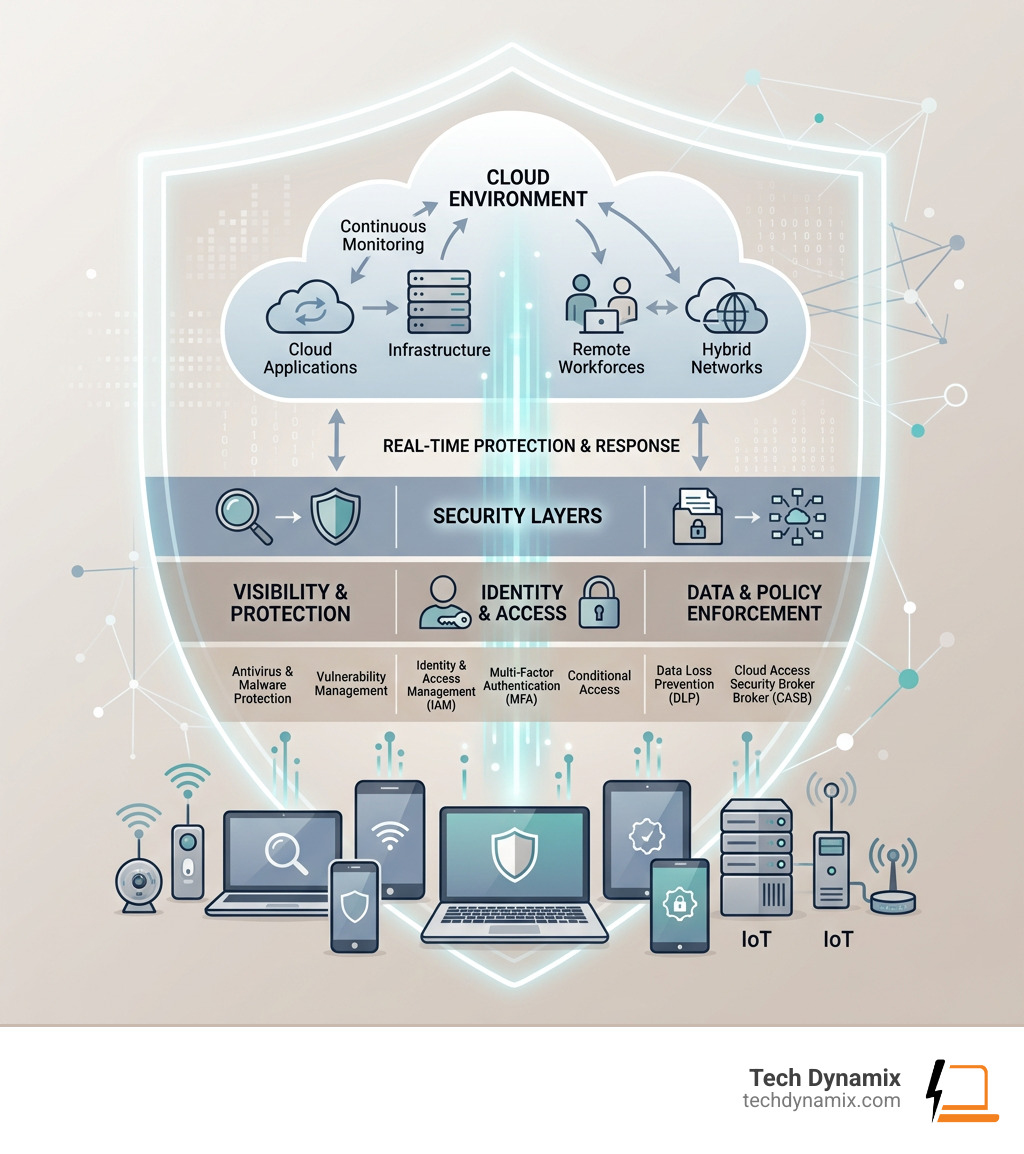
Simple guide to cloud endpoint security:
What is Cloud Endpoint Security and Why Does It Matter?
When we talk about an “endpoint,” we aren’t just talking about the laptop sitting on your desk in Mentor or Willoughby. An endpoint is any device that connects to and communicates across a network. This includes smartphones, tablets, wearables like smartwatches, printers, scanners, and even the smart sensors in a manufacturing plant.
With 78% of organizations using multi-cloud or hybrid environments, the “attack surface”—the total number of points where an attacker can try to enter your system—has exploded. The Bring Your Own Device (BYOD) trend means employees are accessing sensitive company data from personal phones that might not have the latest updates. Every one of these devices represents a potential security loophole.
Cloud endpoint security is vital because it moves the defense to where the data is actually being used. Without it, organizations face significant risks:
- Data Exfiltration: Unauthorized users stealing sensitive information.
- Ransomware: Malicious software locking your files until a fee is paid.
- Lack of Visibility: Not knowing which devices are accessing your cloud resources.
By implementing robust cybersecurity solutions, we help businesses maintain operational integrity. These systems provide real-time monitoring and can scale instantly. If you hire ten new remote employees in Chardon tomorrow, a cloud-based system can protect their devices immediately without you needing to install bulky hardware in your office.
Key Components of a Modern Protection Framework
A complete cloud endpoint security strategy isn’t just one piece of software; it’s a team of specialized tools working together. Think of it like a high-end security system for a building: you need cameras, locks, alarms, and a monitoring service.
Here are the heavy hitters in a modern framework:
- Endpoint Protection Platform (EPP): This is your first line of defense. It includes traditional antivirus and anti-malware, but it’s “cloud-native,” meaning it’s constantly updated with the latest threat data.
- Cloud Access Security Broker (CASB): This acts as a gatekeeper between your on-premises environment and your cloud providers (like Microsoft 365). It ensures security policies are followed whenever data moves to the cloud.
- Identity and Access Management (IAM): This ensures that only the right people have access to the right data. It uses tools like Multi-Factor Authentication (MFA) to verify identities.
- Unified Endpoint Management (UEM): This allows us to manage all your devices—laptops, phones, and tablets—from a single console, ensuring they all have the right security settings.
- Data Loss Prevention (DLP): These tools monitor for sensitive data (like credit card numbers or patient records) and prevent it from being shared or leaked inappropriately.
Understanding how these pieces fit together is easier when you understand the infrastructure they protect. For a deeper dive, check out our guide on demystifying cloud data centers.
How EDR and EPP Strengthen Cloud Endpoint Security
While an EPP tries to stop threats from entering, Endpoint Detection and Response (EDR) is what happens when something suspicious is already happening. EDR provides a cybersecurity shield by using behavioral analytics.
If a computer in Painesville suddenly starts encrypting thousands of files at 3:00 AM, EDR recognizes this is not “normal” behavior. It can automatically isolate that device from the rest of the network to contain the threat. It looks for “Indicators of Compromise” (IoC)—digital footprints left by hackers—to catch attacks that traditional antivirus might miss.
The Role of AI and Automation in Cloud Endpoint Security
The “bad guys” are using AI to make their attacks faster and more complex. To win, we have to use AI too. Modern cloud endpoint security uses machine learning and predictive modeling to identify threats before they even have a name (these are called “zero-day” attacks).
By using AI, we can reduce “human-dependent decisioning.” Instead of waiting for an IT person in Lake County to see an alert and click “block,” the system can orchestrate a response in milliseconds. This rapid threat containment is the difference between a minor blip and a total business shutdown.
Benefits and ROI of Cloud-Based Protection
Switching from traditional, “on-premise” security to a cloud-based model isn’t just about better safety; it’s a smart financial move.
| Feature | Traditional Security | Cloud Endpoint Security |
|---|---|---|
| Management | Individual device/server updates | Centralized cloud dashboard |
| Scalability | Limited by hardware | Instant and unlimited |
| Cost | High upfront hardware/license costs | Predictable monthly subscription |
| Remote Support | Requires VPN or physical access | Works anywhere with internet |
| Updates | Manual or scheduled | Real-time and automatic |
The numbers back this up. Organizations implementing virtual desktop solutions often see a projected 94%—217% ROI. Furthermore, we typically see a 15%—25% reduction in overall security costs because you no longer need to maintain expensive, power-hungry servers on-site.
Beyond the hardware, you save money on “provisioning.” When you use solutions like Windows 365, the time it takes to set up a new employee’s computer, maintain it, and recover it if it breaks can drop by 75%—95%. To understand how these savings work in a private environment, read about unlocking the power of managed private cloud.
Best Practices for Implementing a Secure Environment
Setting up cloud endpoint security isn’t a “set it and forget it” task. It requires a disciplined approach.
We recommend these core best practices:
- Zero Trust Architecture: Never trust, always verify. Every request for access should be authenticated, authorized, and encrypted.
- Multi-Factor Authentication (MFA): This is non-negotiable. Even if a hacker steals a password, MFA provides a second barrier they usually can’t cross.
- Role-Based Access Control (RBAC): Not everyone needs access to everything. A marketing assistant shouldn’t have access to the company’s payroll files.
- Encryption: Use AES-256 encryption for data “at rest” (stored) and “in transit” (moving).
- Patch Management: Keep your software updated. Most successful hacks exploit “vulnerabilities” that already have a fix available.
For many of our neighbors, cybersecurity for small businesses is about focusing on these high-impact basics first. We also include “Dark Web Scanning” to see if your employees’ passwords have been leaked in past data breaches, allowing you to change them before they are used against you.
Overcoming Challenges in Cloud Endpoint Security
It’s not all sunshine and rainbows; there are hurdles to clear. One major issue is “Shadow IT”—when employees use cloud apps (like a personal Dropbox) that the company doesn’t know about. This creates massive security gaps.
Other challenges include:
- API Vulnerabilities: The “connectors” between cloud services can be weak points.
- Misconfigurations: Most cloud data breaches are caused by a human accidentally leaving a “digital door” unlocked.
- Lack of Physical Control: You can’t walk into a “cloud” and check the servers yourself.
This is where managed services for proactive support come in. We handle the complex configurations and monitoring so you can focus on running your business in Northeast Ohio.
Frequently Asked Questions about Cloud Endpoint Security
What is the difference between a firewall and cloud endpoint security?
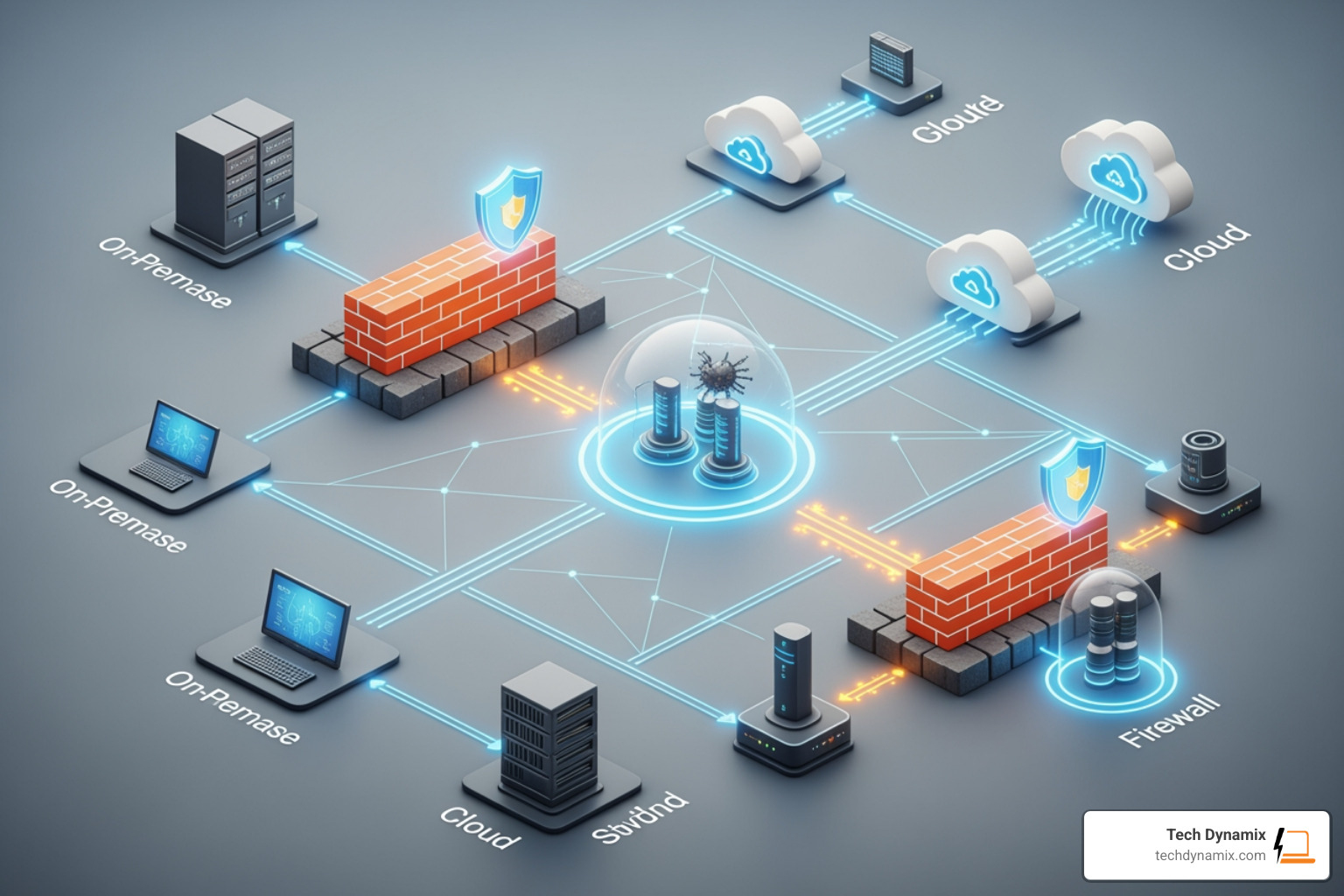
A firewall is like a fence around your yard; it tries to keep intruders out of your entire property. Cloud endpoint security is like having a smart lock and a security camera on every single door and window of the house. While firewalls filter network traffic, endpoint security protects the individual devices (the “endpoints”) from threats that might have bypassed the fence—like a malicious file brought in on a USB drive or a phishing link clicked in an email.
How does cloud endpoint security support remote and hybrid work?
In the old days, you had to be in the office to be safe. Now, with Microsoft 365 cloud support and tools like Windows 365, your “office” is wherever you are. Cloud security allows us to enforce the same strict safety policies on a laptop in a coffee shop in Mayfield Heights as we do for a desktop in a corporate headquarters in Cleveland. It provides a consistent, secure experience regardless of location.
How can organizations measure the effectiveness of their security investment?
We look at a few key metrics:
- MTTD (Mean Time to Detect): How long does it take to realize there’s a problem?
- MTTR (Mean Time to Respond): Once we find it, how fast can we stop it?
- Incident Volume: Are the number of successful attacks going down?
- TCO (Total Cost of Ownership): Are we spending less on hardware and emergency repairs?
Conclusion
Navigating cloud endpoint security can feel overwhelming, but you don’t have to do it alone. At Tech Dynamix, we specialize in bringing enterprise-grade protection to small and mid-size businesses throughout Northeast Ohio—from Mentor and Painesville to the Greater Cleveland Area.
We understand that for an SMB, technology needs to be a tool for growth, not a source of stress. Whether you are in manufacturing, healthcare, or professional services, our 20+ years of experience ensures your data stays safe and your team stays productive.
Ready to lock down your cloud environment? Secure your organization with Tech Dynamix cybersecurity solutions today. We’re your local, dependable all-in-one technology partner, right here in your backyard.