When Disaster Strikes, Will Your Business Survive?
Business continuity planning is the process of preparing your organization to keep operating — or recover quickly — when something goes wrong.
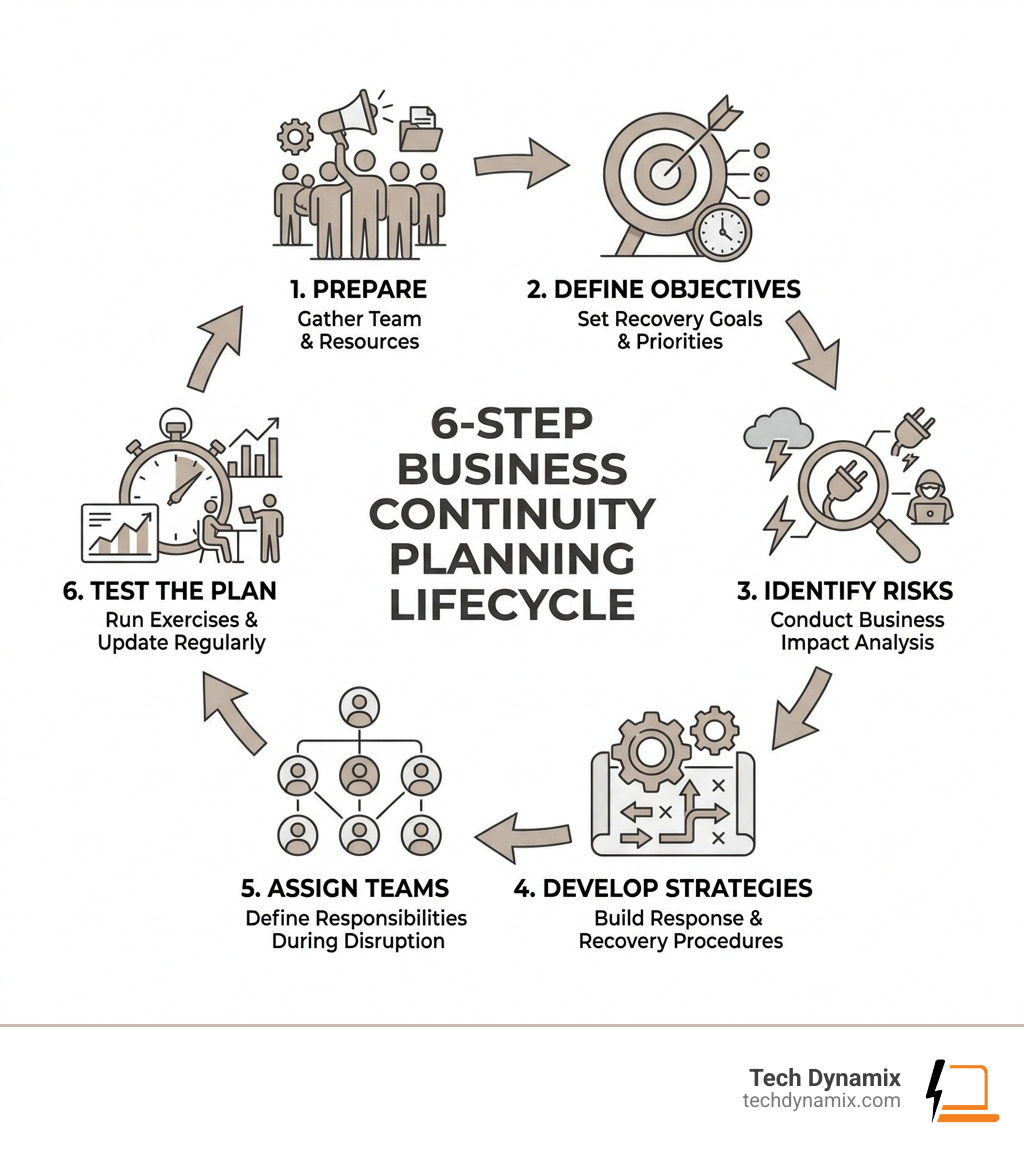
Here’s a quick overview of how it works:
- Prepare – Gather your team and resources
- Define objectives – Set recovery goals and priorities
- Identify risks – Run a business impact analysis
- Develop strategies – Build response and recovery procedures
- Assign teams – Define who does what during a disruption
- Test the plan – Run exercises and update regularly
The stakes are real. Research shows that roughly 80% of companies without a tested business continuity plan fail within two years of a major disaster. And for every dollar invested in loss prevention, organizations can avoid up to seven dollars in disaster-related losses.
Disruptions don’t announce themselves. A cyberattack, a power outage, a software failure, or a natural disaster can hit any business — any day. Without a plan, you’re left reacting under pressure, often at great cost to your revenue, your reputation, and your customers’ trust.
I’m Jay Baruffa, founder of Tech Dynamix, and with over 20 years in IT infrastructure and systems support, I’ve helped Northeast Ohio businesses build and maintain practical business continuity planning strategies that hold up when it matters most. In this guide, I’ll walk you through exactly how to build a plan that actually works — not just one that sits in a drawer.
Similar topics to Business continuity planning:
What is Business Continuity Planning and Why Does It Matter?
At its core, a Business Continuity Plan (BCP) is a documented set of instructions that describes how your organization’s mission-critical processes will be sustained during and after a significant disruption. According to NIST standards, it is a proactive framework designed to ensure that if the “unthinkable” happens, your business doesn’t just stop.
In April 2026, the landscape for small and mid-size businesses in Northeast Ohio — from Mentor to Chardon and across the Greater Cleveland Area — is more complex than ever. We rely heavily on digital systems, interconnected supply chains, and instant communication. When one link in that chain breaks, the impact ripples through the entire company.
Why does it matter? Beyond the staggering statistic that 80% of unplanned-for businesses fail after a disaster, there is a clear financial incentive. A dollar spent today on Keep Ohio Running Essential Business Continuity Planning can prevent seven dollars of economic loss later. This isn’t just about surviving a “once-in-a-century” flood; it’s about handling the power outage in Willoughby or the ransomware attack that locks your files in Highland Heights.
Business Continuity Planning | Ready.gov emphasizes that a BCP is essential for weathering any “storm,” whether literal or metaphorical. It protects your cash flow, your employees’ livelihoods, and your hard-earned reputation.
The Role of Resilience in 2026
In 2026, we talk a lot about “strategic resilience.” This is the ability of a company to not just “bounce back” from a crisis, but to “bounce forward.” Resilience is a competitive advantage. If a major software outage hits the region and your competitors are down for a week while you are back up in four hours, who do you think the customers will call next time?
Resilience involves two phases:
- Proactive Resilience: Building a solid foundation, identifying vulnerabilities, and creating a culture of preparedness before an event occurs.
- Post-Resilience: The communicative and operational processes used to check in with employees and maintain operations during and after the crisis.
Organizations like the Continuity Professionals of Ohio | CPO highlight that resilience isn’t just a document; it’s a strategic mindset that ensures organizational viability regardless of the external environment.
BCP vs. Disaster Recovery: Understanding the Difference
Many business owners use these terms interchangeably, but they serve different purposes. Think of it this way: BCP is the umbrella, and Disaster Recovery (DR) is one of the most important spokes.
| Feature | Business Continuity Plan (BCP) | Disaster Recovery Plan (DRP) |
|---|---|---|
| Focus | The entire organization and its processes | IT systems, data, and technology restoration |
| Goal | Keep the business running during the event | Get the tech back to normal after the event |
| Scope | Holistic (People, locations, vendors, etc.) | Technical (Servers, backups, networks) |
| Approach | Proactive prevention and mitigation | Reactive restoration |
While a BCP ensures your staff in Mayfield Heights knows where to work if the office is inaccessible, the DRP — often handled through Services/Backup Business Continuity — ensures they actually have data to work with once they get there.
The 6-Step Process for Effective Business Continuity Planning

Creating a plan doesn’t have to be an overwhelming academic exercise. We follow a structured 6-step process, often recommended by Business Continuity Planning | Ready.gov, to ensure nothing is missed.
Step 1: Prepare
Gather your “Continuity Team.” This shouldn’t just be the IT guy. You need stakeholders from finance, operations, HR, and leadership. In a small business in Lake County, this might be three people; in a larger manufacturing firm in Ashtabula, it might be ten.
Step 2: Define Objectives
What are you trying to protect? You need to define your “minimum acceptable service levels.” What is the bare minimum your business needs to do to stay viable?
Step 3: Business Impact Analysis (BIA)
This is the heart of the plan. You identify your most critical functions and determine exactly what happens to the business if they stop. (We’ll dive deeper into this in the next section).
Step 4: Strategy Development
Once you know the risks, you develop strategies to mitigate them. If your server dies, do you have a cloud backup? If your office in Painesville Township loses power, do you have a secondary site or remote work policy?
Step 5: Team Roles and Tasks
Clearly define who is in charge of what. Who calls the insurance agent? Who notifies the customers? Who works with Tech Dynamix to restore the Managed IT Services?
Step 6: Testing
A plan is just a piece of paper until it’s tested. Whether it’s a “tabletop exercise” where you talk through a scenario or a full-scale simulation, testing reveals the gaps you didn’t see coming.
Conducting a Business Impact Analysis (BIA)
The BIA is where you get honest about your vulnerabilities. You aren’t just looking at “IT problems”; you’re looking at operational dependencies.
When we perform a BIA for a client in Northeast Ohio, we ask:
- What are the time-sensitive functions? (e.g., payroll, shipping, patient records).
- What is the financial impact of an hour of downtime? A day? A week?
- What are the legal or regulatory impacts?
- What resources are required to perform these functions? (People, tech, physical files, specific equipment).
The Business Continuity – Ohio Department of Administrative Services provides frameworks for this, and FEMA offers worksheets to help categorize these impacts. The goal is to prioritize your recovery efforts so you spend your resources where they matter most.
Identifying Common Threats to Business Continuity Planning
Your plan needs to address both “likely” and “high-impact” threats. In our region, these often include:
- Cyberattacks: Ransomware remains the #1 threat to small businesses. It can paralyze an office in Richmond Heights in minutes.
- Natural Disasters: Severe lake-effect snow, floods, or windstorms that knock out local infrastructure.
- Software Outages: The 2024 CrowdStrike incident was a massive wake-up call. It showed that even if your local hardware is fine, a “cloud” failure can stop your business cold.
- Utility Failures: Long-term power or internet outages.
- Supply Chain Disruptions: If your main supplier in the Cleveland Metro East Corridor goes down, how does that affect your ability to deliver?
By using a Backup Cloud Database Service, you can mitigate many of the data-related risks associated with these threats.
Key Components of a Comprehensive BCP
To make your plan functional, you need to understand three critical acronyms:
- Recovery Time Objective (RTO): The maximum amount of time a business process can be down before the damage becomes unacceptable. Is your RTO four hours or four days?
- Recovery Point Objective (RPO): This refers to data loss. If your systems crash at 2:00 PM, and your last backup was at 8:00 AM, your RPO is 6 hours. Can your business afford to lose 6 hours of work?
- Recovery Consistency Objective (RCO): This is a newer metric that measures how consistent your data is across different systems after a recovery. You don’t want your sales database to show one thing while your inventory database shows another.
A comprehensive BCP also must include:
- A Communication Plan: Contact lists for employees, vendors, and customers.
- Alternate Work Sites: Where will people go if the building is closed?
- Data Redundancy: Utilizing Redundant Data Backup to ensure your information exists in more than one place.
- Critical Document Access: Digital copies of insurance policies, contracts, and legal documents stored offsite.
For a deeper dive into how these tech components fit together, check out our Managed IT Services Complete Guide.
Standards and Regulatory Compliance
Depending on your industry, having a BCP might not just be a good idea — it might be the law.
- ISO 22301: The international standard for business continuity management systems.
- FINRA Rule 4370: For our friends in the financial services sector in Lake and Geauga counties, FINRA requires a written BCP that addresses data backup, mission-critical systems, and alternate communications. Firms must also disclose their BCP to customers at account opening.
- HIPAA: New mandates (influenced by major 2024 cyberattacks) are pushing for healthcare entities to restore critical systems within 72 hours of a disruption.
- SOC 2: If you are a service provider, your clients may demand SOC 2 compliance, which includes “Availability” as a core trust principle.
A solid Business Continuity Plan ensures you stay on the right side of these regulations.
How to Test and Maintain Your BCP for Long-Term Success

A BCP is a “living document.” If you wrote it in 2023 and haven’t looked at it since, it probably won’t work in 2026. Your staff has changed, your software has updated, and your risks have evolved.
The Maintenance Cycle
We recommend an annual or biannual maintenance cycle:
- Confirmation of Information: Are the phone numbers still correct? Is the emergency contact still with the company?
- Technical Verification: Does the backup actually restore? We’ve seen businesses “backing up” for years only to find the data was corrupted when they actually needed it.
- Testing and Exercises: Use the tools available in the Business Continuity Planning Suite to run simulations.
Types of Testing
- Tabletop Exercise: Your team sits in a room (or a Zoom call) and talks through a scenario. “The power is out in Concord Township, and the server room is flooded. What do we do first?”
- Medium Exercise: You test a specific component, like switching over to your backup internet provider.
- Complex Exercise: A full-scale simulation where you actually move operations to an alternate site or restore your entire system from a cloud backup.
Real-World Benefits of Successful Implementation
When a plan works, it’s often invisible to the outside world.
- Revenue Protection: You don’t lose sales because your “system is down.”
- Brand Reputation: Customers remember who stayed reliable during a regional crisis.
- Employee Morale: Nothing kills morale faster than a chaotic, stressful environment where no one knows what to do. A plan provides calm.
- Customer Trust: For businesses in professional services or healthcare, showing you have a plan builds immense trust.
Local firms that focus on Incident Response in Painesville and surrounding areas know that the fastest way to recover is to have the steps already written down.
Frequently Asked Questions about Business Continuity Planning
What is the difference between RTO and RPO?
RTO (Recovery Time Objective) is about time — how long can you afford to be down? RPO (Recovery Point Objective) is about data — how much work can you afford to lose? If your RTO is 4 hours and your RPO is 1 hour, you need to be back up within 4 hours with data that is no more than 1 hour old.
How often should a BCP be updated?
At a minimum, once a year. However, you should also update it whenever there is a significant change in your business, such as moving to a new office in Kirtland, switching to a new primary software, or a major change in leadership.
What are the minimum requirements for FINRA Rule 4370?
FINRA requires firms to address: data backup and recovery; all mission-critical systems; financial and operational assessments; alternate communications between customers and the firm; alternate physical location of employees; and critical business constituent, bank, and counterparty impact.
Conclusion
Building a business continuity planning strategy that actually works isn’t about predicting the future; it’s about being prepared for any version of it. Whether you’re a manufacturer in Ashtabula County or a healthcare provider in the Cleveland East Suburbs, your ability to stay operational during a disruption is the ultimate test of your business’s strength.
At Tech Dynamix, we specialize in taking the technical burden of BCP off your shoulders. From proactive IT support and cybersecurity to robust backup and disaster recovery solutions, we ensure the “technology” part of your plan is rock solid so you can focus on leading your team.
Don’t wait for the next regional power outage or cyber-threat to find the holes in your strategy. Let’s build a resilient future for your business together.
Ready to protect your assets? Explore our Managed Services today and let’s make sure your business is ready for whatever comes next.