Why Every Business Needs a Backup Cloud Database Service
A backup cloud database service is one of the most important tools a business can have to protect its data from loss, corruption, or disaster. Here’s a quick answer to what it does and why it matters:
- What it is: An automated service that copies your database to secure cloud storage on a set schedule
- What it protects against: Accidental deletion, failed migrations, ransomware, hardware failure, and human error
- Key benefit: You can restore your data quickly — often to a specific point in time — without starting from scratch
- Who needs it: Any business storing customer records, transactions, or operational data in a database
Most teams only discover their backup strategy is broken after something goes wrong. By then, it’s too late. A single failed migration, a corrupted table, or a ransomware attack can wipe out weeks — or years — of work. The right cloud backup service keeps that from happening by running automatically, storing copies independently of your main infrastructure, and making recovery fast and predictable.
I’m Jay Baruffa, and with over 20 years in IT infrastructure and systems support, I’ve helped businesses across Northeast Ohio implement reliable backup cloud database service solutions that reduce risk and keep operations running. In this guide, I’ll walk you through everything you need to know to protect your most critical data.
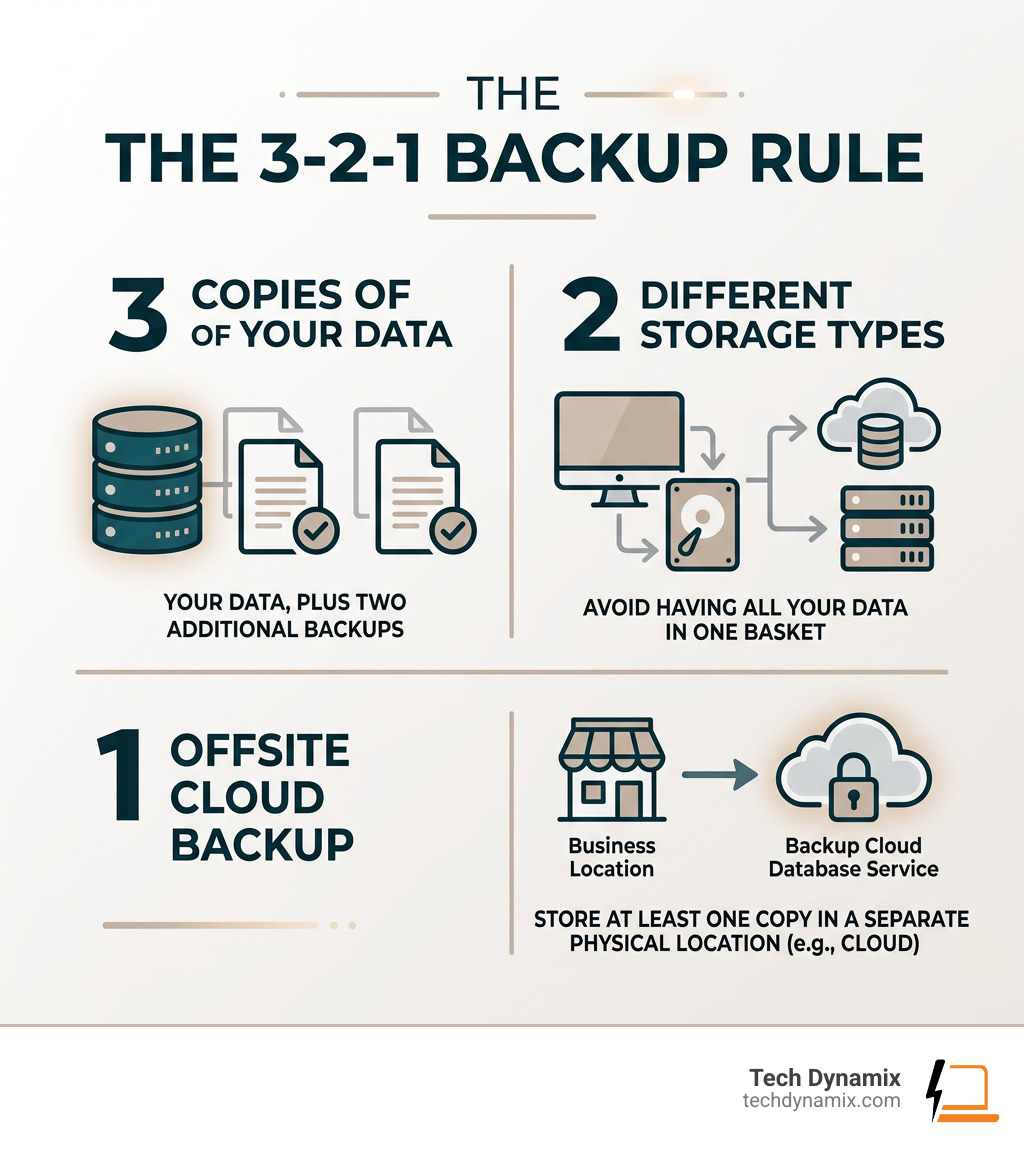
Backup cloud database service terms at a glance:
Why Your Business Needs a Backup Cloud Database Service
In the modern digital landscape, data is the lifeblood of your company. Whether you are a manufacturing firm in Mentor or a professional services office in Willoughby, your database contains the history of your customer interactions, financial transactions, and proprietary workflows. Relying on “hope” as a strategy is a recipe for disaster.
The Hidden Dangers of Manual Backups
Many businesses start by having a developer or IT staffer write a custom script to dump the database to a local file. While this seems cost-effective, it is riddled with risks. Manual or script-based methods often suffer from:
- Silent Failures: A script might stop running because of a credential rotation or a full disk, and you won’t know until you actually need the data.
- Maintenance Overhead: As your database grows or your schema changes, scripts break. Keeping them updated takes hours of engineering time that could be spent on growth.
- Human Error: It only takes one “drop table” command by a tired administrator to cause a catastrophe.
Ransomware and Data Integrity
Cybersecurity is a major concern for businesses in the Greater Cleveland Area. Ransomware specifically targets databases to lock up your operations. A dedicated backup cloud database service provides ransomware resilience by keeping your backups in a separate, immutable environment. If your primary server is compromised, you can roll back to a clean state.
Furthermore, even without a malicious attack, data integrity can be compromised by logic bugs or failed software migrations. Specialized services allow for point-in-time recovery (PITR), meaning you can “rewind the clock” to the exact minute before the error occurred. For more on how we handle these threats, check out our backup and business continuity services.
Essential Features of a Reliable Backup Solution
When evaluating a backup cloud database service, you shouldn’t just look for a tool that “copies files.” You need a comprehensive system that ensures those files are usable when the sky starts falling.
Automation and Incremental Backups
The best services offer automated scheduling. You should be able to set it once and forget it. Most modern services, such as Cloud SQL, utilize incremental backups. This means after the first full backup, the system only saves the changes (deltas) made since the last run. This reduces storage costs and minimizes the performance impact on your live database.
- On-demand backups: Created manually before risky operations like a major code deployment.
- Automated backups: Run on a schedule (hourly, daily, or weekly).
- Final backups: A snapshot taken right before a database instance is deleted, ensuring you don’t lose data if a project is sunsetted prematurely.
Retention and Recovery Objectives
Your retention policy dictates how long you keep your data. While some services default to 30 days, others allow for enhanced retention of up to 10 years for compliance. You also need to consider your Recovery Time Objective (RTO)—how fast you need to be back up—and your Recovery Point Objective (RPO)—how much data you can afford to lose.
| Feature | Manual Scripts | Automated Cloud Backup Service |
|---|---|---|
| Reliability | Low (Scripts fail silently) | High (99.9% Uptime SLAs) |
| Setup Time | Hours/Days | Under 5 Minutes |
| Security | Variable (Often unencrypted) | AES-256 Encryption & SOC 2 |
| Monitoring | Manual checks | Automated alerts & dashboards |
| Point-in-Time Recovery | Difficult/Impossible | Standard Feature |
Systems like Database Vault allow teams to save upwards of 10 hours per week by automating these tedious management tasks. This is especially vital for businesses exploring Ohio’s cloud frontier with AWS, where centralized management is key to scaling.
Choosing the Right Backup Cloud Database Service for Your Workflow
Not all databases are created equal. Your service must support the specific technology your business uses. Common supported types include:
- Relational: PostgreSQL, MySQL, Oracle, and Microsoft SQL Server.
- NoSQL: MongoDB, Redis, Firebase, and Fauna.
For example, Fauna’s backup and restore features highlight the importance of account-level snapshots. Even if you accidentally delete a database, the snapshots persist at the account level, allowing for an emergency rescue.
Whether you prefer a Serverless model (where the service connects directly to your database) or a Bring Your Own Server (BYOS) model (where you maintain more control over the host), flexibility is essential for matching your existing IT infrastructure in Northeast Ohio.
Security, Storage, and Compliance Standards
Security is the cornerstone of any backup cloud database service. If your backups aren’t secure, they aren’t backups—they’re liabilities.
Encryption and SOC 2 Compliance
At Tech Dynamix, we emphasize that all backup data must be encrypted both in transit and at rest. Leading services use AES-256 encryption and maintain SOC 2 Type II certification, ensuring the infrastructure meets rigorous security standards. Some even offer “zero-knowledge architecture,” meaning the service provider cannot access your data; only you hold the keys. For AWS users, creating a key policy is a critical step in managing these permissions.
Where is the Data Stored?
A major advantage of specialized services is the ability to store backups in independent, S3-compatible object storage. This ensures “off-platform persistence.” If your entire cloud provider region goes down, your data is safe in a different storage bucket, such as:
- Amazon S3: Highly scalable and integrates with AWS Backup.
- Google Cloud Storage: Offers various classes, from “Standard” for hot data to “Archive” for long-term retention at a fraction of the cost ($0.0012 per GiB).
- Azure Blob Storage: Ideal for businesses already utilizing Microsoft 365 cloud support.
Cost Implications and Egress Fees
While storage is relatively cheap, you must watch out for egress fees—the costs associated with moving data out of a cloud provider’s network. Some specialized storage providers offer $0 egress fees, which can lead to significant cost savings (sometimes up to 95% compared to traditional hyperscalers). Always review the pricing for data retrieval and operations to avoid “bill shock” at the end of the month.
Frequently Asked Questions about Backup Cloud Database Service
How do automated backups differ from manual scripts?
Automated services are built for reliability and visibility. Manual scripts often lack error handling; if a password changes or a network blip occurs, the script fails silently. Automated services provide centralized dashboards, log-based alerts, and automatic retries. They also handle “credential rotation” gracefully, ensuring that your backup pipeline doesn’t break when you update your security keys.
Where is my backed-up data actually stored?
Your data is typically stored in “Object Storage” buckets. These are highly durable storage systems (often boasting 99.999999999% durability). By using independent storage like Amazon S3 or Azure Blob, you ensure that your backups survive even if your main database server or its entire hosting account is deleted. This provides a “safety net” that native snapshots sometimes lack.
What is the difference between a provider snapshot and a dedicated backup?
A provider snapshot (like those offered natively by some cloud hosts) is often tied to the lifecycle of the resource. If you delete the database instance, the snapshots might be deleted along with it. A dedicated backup cloud database service unlinks the backup from the resource. It provides more granular control over retention policies and allows you to restore data across different platforms or regions, which is essential for a robust disaster recovery plan.
Conclusion
Protecting your business assets shouldn’t be a part-time job for your developers. A professional backup cloud database service provides the automation, security, and peace of mind necessary to keep your Northeast Ohio business running through any tech storm. From Mentor to Chardon, we see businesses of all sizes benefit from moving away from fragile manual processes toward robust, cloud-native protection.
At Tech Dynamix, we specialize in helping small and mid-size businesses across the Greater Cleveland Area navigate these complex choices. Whether you need a full cloud migration, proactive cybersecurity, or a bulletproof disaster recovery plan, we are your local technology partner with over 20 years of experience.
Don’t wait for a “database not found” error to take action. Secure your assets with professional cloud services today and ensure your business continuity for years to come.